
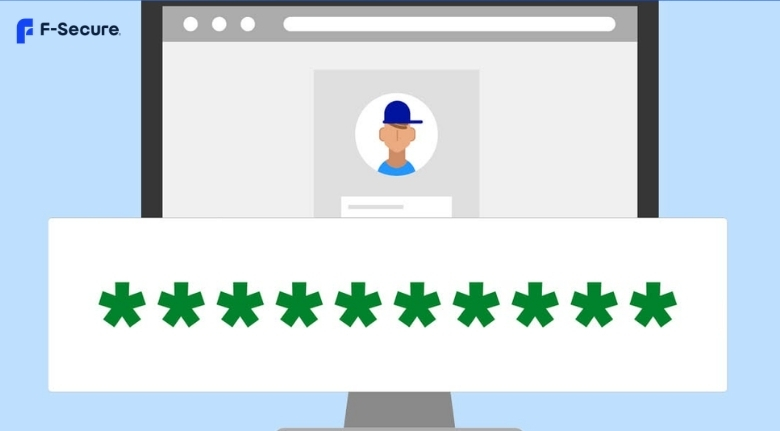
The internet is part of almost every area of modern life. People use connected devices for banking, shopping, communication, work, entertainment, and storing personal memories. This convenience also creates opportunities for criminals to target passwords, financial information, personal files, and online accounts. Good digital security should therefore be treated as a regular habit rather than something considered only after a problem occurs.
F-Secure provides security, privacy, scam protection, and identity protection tools for computers and mobile devices. Its Total subscription combines antivirus, VPN, password management, and online identity monitoring in one service, while its Internet Security product focuses on protection against malware, scams, and dangerous websites.
Choosing security software is only one part of staying protected. Users should also update their devices, create strong passwords, recognize suspicious messages, and think carefully before opening links or downloading files. A few consistent habits can make everyday online activity safer.
Keep Your Devices Protected Every Day
Computers, smartphones, and tablets contain valuable information, so protection should begin with the devices themselves. Malware can arrive through malicious downloads, compromised websites, suspicious attachments, or deceptive messages. Some threats are designed to remain unnoticed while attempting to access sensitive information.
F-Secure offers antivirus protection designed to detect viruses, ransomware, spyware, and other malware. Its security products can provide real-time protection and help block harmful content before it creates problems. Keeping security software active and updated gives a device an additional layer of defense.
However, antivirus protection should not replace sensible browsing habits. Avoid downloading applications from unknown sources, opening unexpected attachments, or ignoring security warnings simply because a file looks familiar.
It is also important to update operating systems and installed applications regularly. Updates often include security fixes that address vulnerabilities discovered after earlier versions were released. Delaying updates can leave known weaknesses exposed.
A secure device is built through several layers working together. Security software, software updates, careful browsing, and strong account protection all contribute to a safer digital environment.
Protect Yourself From Online Scams
Online scams have become increasingly convincing. Fake shopping websites, phishing messages, fraudulent emails, and misleading advertisements can look legitimate. Instead of relying only on appearance, users should develop a habit of checking information before taking action.
F-Secure includes scam and browsing protection features that can help identify suspicious websites, phishing attempts, and unsafe online activity. Depending on the product and platform, users may also receive protection for online shopping, banking, and text message scams.
Still, technology cannot replace attention. If an unexpected message asks you to confirm a password, transfer money, or open an attachment urgently, stop and verify the request independently.
Look carefully at website addresses, spelling, sender details, and unusual requests. A message claiming that your account will be closed immediately is not necessarily genuine because it uses a company logo or professional language.
When shopping online, research unfamiliar retailers before entering payment details. Be cautious of offers that seem dramatically cheaper than normal prices, particularly when the seller provides little information about the business.
The safest response to suspicious communication is often simple: do not click, do not reply, and verify through an official channel.
Use Strong and Unique Passwords
Passwords remain one of the most important parts of online security. Using the same password across multiple accounts creates a serious problem because one compromised service can potentially expose access to several others.
F-Secure Total includes a password manager that can generate strong passwords, store them securely, and help users access credentials across supported devices. A password manager can make it easier to use different passwords without requiring you to memorize every one.
When creating passwords manually, choose long and difficult-to-guess combinations. Avoid obvious information such as birthdays, names, favorite teams, or simple sequences.
Two-factor authentication should also be enabled whenever an online service provides it. Even if someone obtains your password, an additional authentication step can make unauthorized access more difficult.
Review old accounts occasionally and remove access you no longer need. If you have used the same password for several services, change it and create unique credentials for important accounts first.
A password strategy should be practical enough to maintain. The goal is not simply to create complicated passwords but to ensure that each important account has strong, separate protection.
Keep Your Online Privacy in Mind
Security and privacy are closely connected, but they are not exactly the same. Security focuses on preventing unauthorized access and harmful activity, while privacy concerns who can see, collect, or track information about you online.
F-Secure Total includes a VPN designed to encrypt internet traffic and provide additional privacy when browsing. This can be useful when connecting through public Wi-Fi networks in hotels, airports, cafes, or other shared locations.
A VPN does not make someone completely anonymous online, and it should not be treated as a replacement for safe browsing. It is one privacy tool within a broader security strategy.
Users should also review application permissions and browser settings. An app that requests access to contacts, location, microphones, or other information may need those permissions for legitimate reasons, but unnecessary access should be questioned.
Be careful about what you share publicly. Personal information posted on social networks can sometimes be combined with information from other sources to create convincing scams or account takeover attempts.
Good privacy habits include limiting unnecessary permissions, reviewing account settings, avoiding oversharing, and using secure connections when handling sensitive information.
Monitor Your Digital Identity
A data breach can expose personal information without the affected individual immediately realizing it. Email addresses, passwords, phone numbers, and other details may eventually be used in phishing attempts or identity-related fraud.
F-Secure Total includes online identity monitoring and breach alerts intended to help users become aware when monitored personal information appears in known data breaches. Early awareness can give someone an opportunity to change passwords and take other protective steps.
If you receive a breach notification, do not panic. First identify which service was affected and determine what information may have been exposed. Change the relevant password immediately, especially if it was reused elsewhere.
Check important accounts for unusual activity and consider enabling additional authentication. If financial information may have been compromised, contact the relevant financial institution through an official channel.
Identity protection works best when combined with good password management. Monitoring tells you that something may have happened, while strong unique credentials and authentication can help reduce the impact.
It is also useful to review old accounts that you no longer use. Closing unnecessary accounts can reduce the amount of personal information stored across different services.
Create a Simple Security Routine
Digital security does not have to be complicated. A simple routine can cover many important habits without making everyday technology frustrating.
F-Secure provides different levels of protection, allowing users to choose products according to their needs. Total combines security, privacy, scam protection, and identity features, while other options focus on specific areas such as antivirus or VPN protection.
Start by keeping your operating system and applications updated. Next, use unique passwords and enable two-factor authentication on important accounts. Keep backups of valuable files, particularly photographs, documents, and work materials that would be difficult to replace.
Security products cannot eliminate every risk; careful decisions remain essential for everyday digital safety.