
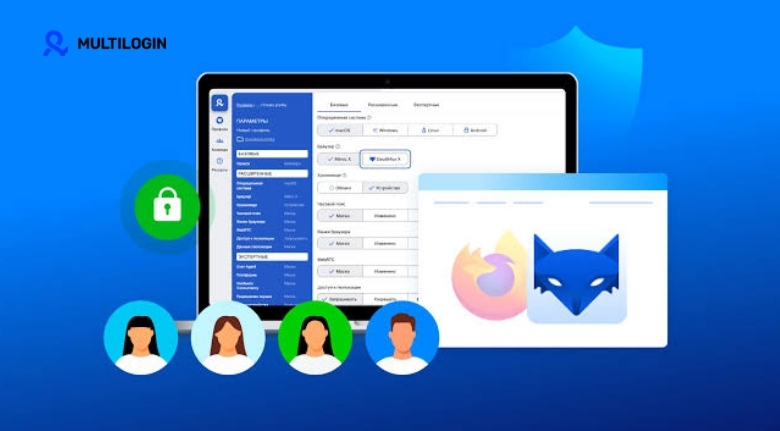
Managing several online projects can become complicated when every task depends on the same browser environment. Digital marketers, agencies, e-commerce professionals, researchers, and other online teams may need to work with multiple accounts while keeping their activities organized. Switching repeatedly between profiles, clearing browser data, or maintaining separate devices can quickly become inefficient.
Multilogin is designed to make multi-account browser management more structured by providing separate browser profiles with independent digital environments. Instead of treating every account as part of one shared browser session, users can create dedicated profiles for different projects and manage them from a centralized interface. This approach can make everyday workflows easier to organize while reducing unnecessary browser switching.
Why Separate Browser Profiles Can Be Useful
A standard browser keeps cookies, cached information, login sessions, and other browsing data together. That arrangement works well for everyday personal browsing, but professional users managing several accounts may need greater separation between different online activities.
Multilogin allows users to create independent browser profiles, with each profile maintaining its own browsing environment. This can be particularly useful for agencies working with multiple clients, businesses managing different brands, or professionals who need separate workspaces for distinct projects.
The benefit is not simply having more browser windows. Proper profile separation can make workflows easier to understand because each workspace can be associated with a particular account, client, campaign, or project. Clear naming conventions can make the setup even more efficient.
For example, an agency could organize profiles according to client names, while an e-commerce team could separate profiles by marketplace or brand. Researchers could also maintain dedicated environments for different projects rather than mixing everything into one browser session.
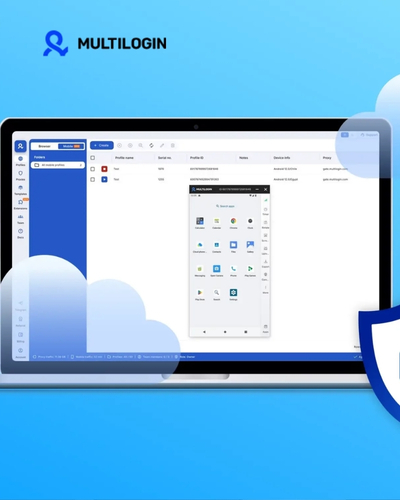
Organize Multiple Accounts Without Constant Switching
One of the biggest challenges of multi-account work is keeping track of which account belongs to which project. Opening several tabs in one browser can create confusion, especially when different accounts use similar websites or interfaces.
Multilogin provides a profile-based approach that can help users organize these accounts more systematically. Each browser profile can be treated as an individual workspace, making it easier to identify the environment needed for a particular task.
This organization becomes especially valuable for teams. Instead of relying on personal browser setups that differ from one employee to another, businesses can establish consistent profile structures and naming systems. A well-organized workspace can reduce unnecessary mistakes and help employees move between projects more confidently.
However, profile management should always be used in accordance with the terms and policies of the websites being accessed. Creating technical separation between browser environments does not remove a user’s responsibility to follow platform rules, advertising policies, or account requirements.
Build a Better Workflow for Digital Marketing
Digital marketing involves many moving parts. A single professional may work with advertising platforms, analytics tools, social networks, content systems, e-commerce dashboards, and client accounts during the same day. Keeping these activities organized can be challenging when everything is connected to one browser environment.
Multilogin can provide separate workspaces for different marketing activities. An agency, for instance, might maintain dedicated profiles for individual clients. This makes it easier to distinguish one project from another and reduces the need to repeatedly log out of accounts.
A consistent naming system can make the workflow even better. Profiles could include the client name, project type, and responsible team member. Adding clear descriptions can also help employees quickly understand which environment they should use.
The goal should be organization rather than simply creating as many profiles as possible. Too many unnecessary workspaces can become difficult to manage. Reviewing unused profiles regularly and maintaining a logical structure can keep the browser environment efficient.
Use Centralized Management for Team Projects
Collaboration becomes more complicated when multiple people need access to different online workspaces. Sending login details through informal channels creates unnecessary security concerns, while maintaining separate setups for every employee can consume considerable time.
Multilogin offers team-oriented management features that can help businesses organize browser profiles and permissions from a centralized environment. Depending on the plan and setup, teams can manage profiles and collaborate through shared workspaces rather than relying entirely on individual browser configurations.
This can be useful for agencies where different employees are responsible for different clients. A manager can establish a structure for projects, while team members work inside the profiles relevant to their responsibilities.
Good internal processes remain important. Companies should define who can access particular profiles, how credentials are handled, and what procedures should be followed when an employee changes roles. Browser technology can support organization, but strong account-management policies are still essential.
Protect Workspaces With Consistent Security Habits
Managing multiple browser profiles should go hand in hand with responsible security practices. Separating profiles does not automatically make an account secure. Users should still rely on strong passwords, appropriate authentication methods, updated software, and carefully controlled access.
Multilogin can help separate browsing environments, but businesses should consider the broader security picture. Access permissions should be reviewed regularly, especially when several employees are working on the same projects.
It is also useful to keep sensitive information limited to the people who genuinely need it. A large team does not necessarily require universal access to every browser profile. Restricting access according to job responsibilities can reduce unnecessary exposure.
Organizations should additionally maintain clear procedures for handling account changes, employee departures, and project transfers. When someone no longer works on a particular campaign, their access should be reviewed promptly.
These habits create a stronger overall workflow and ensure that profile management becomes part of a broader security strategy rather than being treated as a complete security solution.
Make Multi-Account Work More Efficient
The real value of a multi-profile browser environment comes from how effectively it is incorporated into everyday work. Simply creating profiles is not enough. Businesses should establish clear processes for naming, organizing, sharing, and maintaining them.
Start by identifying the accounts that genuinely require separate environments. Then create profiles around meaningful categories such as clients, brands, projects, or teams. Avoid unnecessary duplication because excessive profiles can make management harder rather than easier.
It is also helpful to review the setup periodically. Remove obsolete profiles, update permissions, and confirm that the remaining workspaces still correspond to active projects. This small amount of maintenance can make a large difference for teams managing dozens or even hundreds of online environments.
Multilogin can be particularly useful for professionals whose work depends on managing several online identities or projects from the same computer. By creating independent browser environments and organizing them systematically, users can reduce clutter and establish a more predictable workflow.
The most effective approach is to combine the technology with responsible account management. Profiles should have a clear purpose, access should be controlled, and every account should be operated according to the rules of the relevant platform.
For digital agencies, marketers, online businesses, and other professionals handling multiple accounts, a structured browser environment can save time and reduce everyday confusion. Multilogin provides tools that support this type of organization, allowing users to manage separate browser workspaces from a centralized platform.
Ultimately, efficient multi-account management is about creating a system that works consistently. When profiles are clearly organized, responsibilities are defined, and security practices are maintained, everyday online operations can become much easier to manage.